The video from your camera is divided into several clips? A free and easy solution for merging video clips! Steps with screenshots
December 10, 2020
If you have ever recorded video with a camera, you have probably noticed that the entire video is in several clips. This is because the camera automatically splits files at 4GB. Having the entire game or training session in more than one clip is more complex to analyse, so this is a problem you need to address. Here is an easy and free solution. The software we recommend is free, without watermarks, ads or in-app purchases.
Install open-source VLC media player from its official website https://www. videolan. org/vlc/index. html
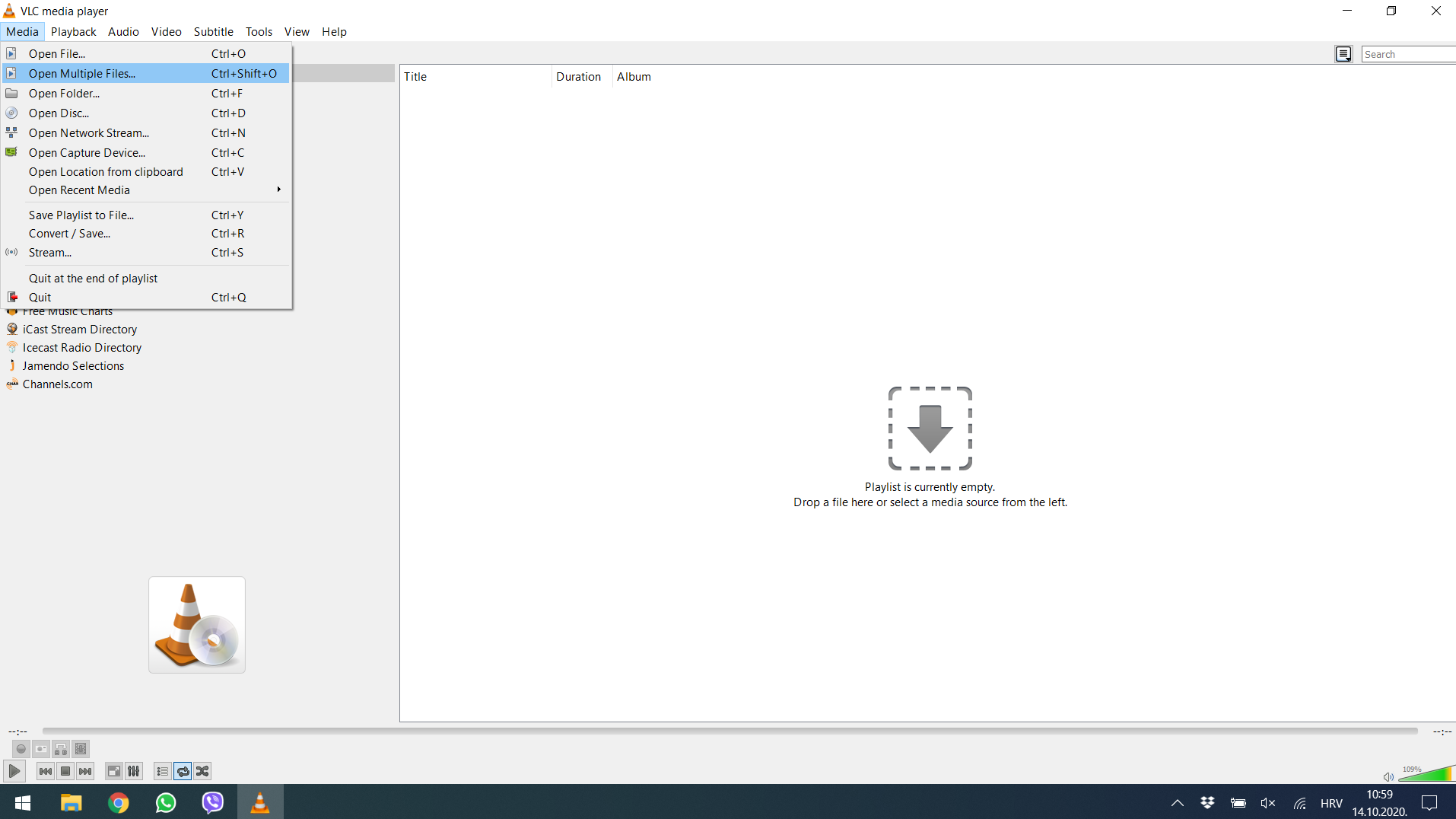
1. Launch VLC media player and click on Mediamenu, select Open Multiple Filesfrom the drop-down menu.
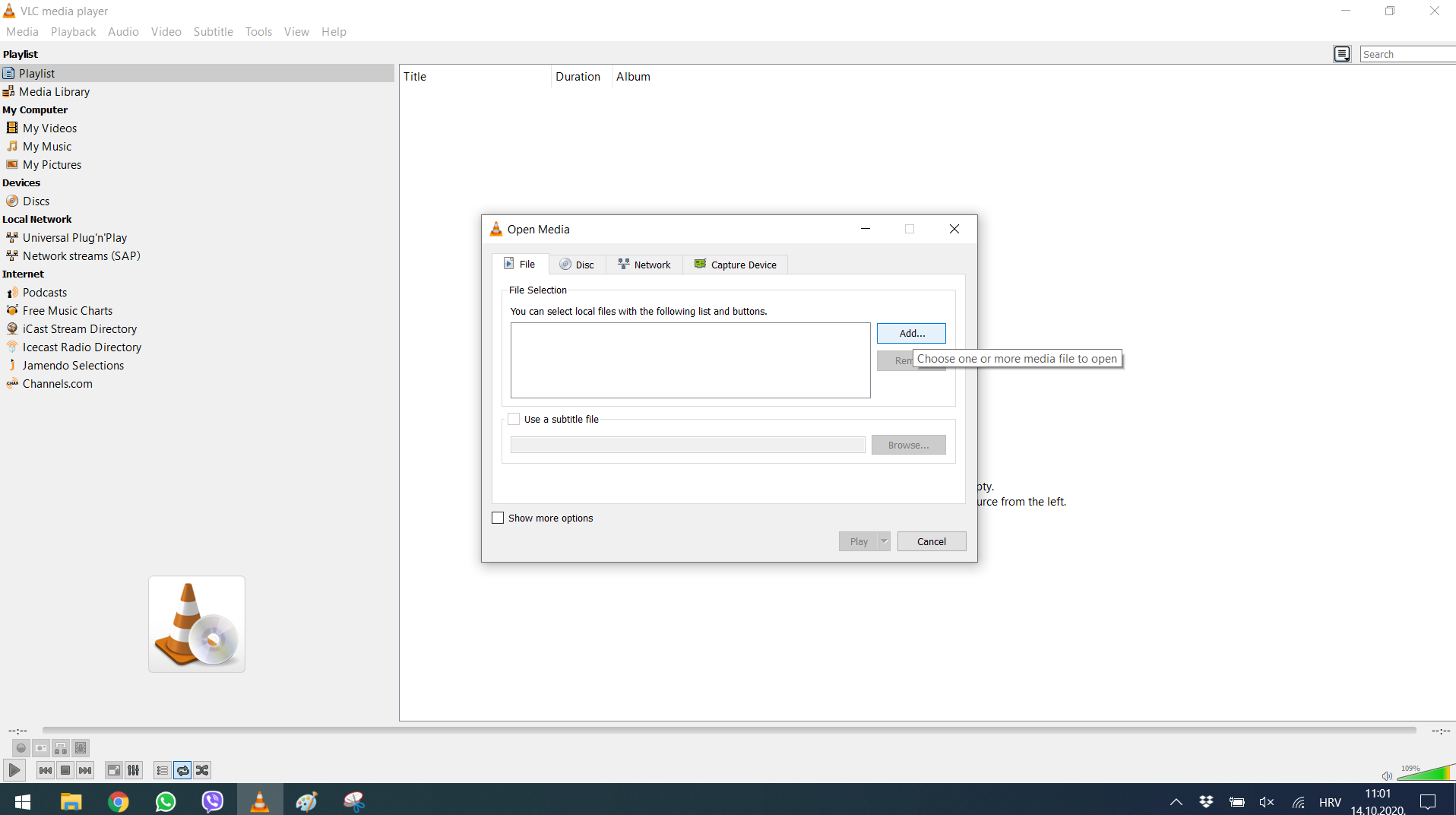
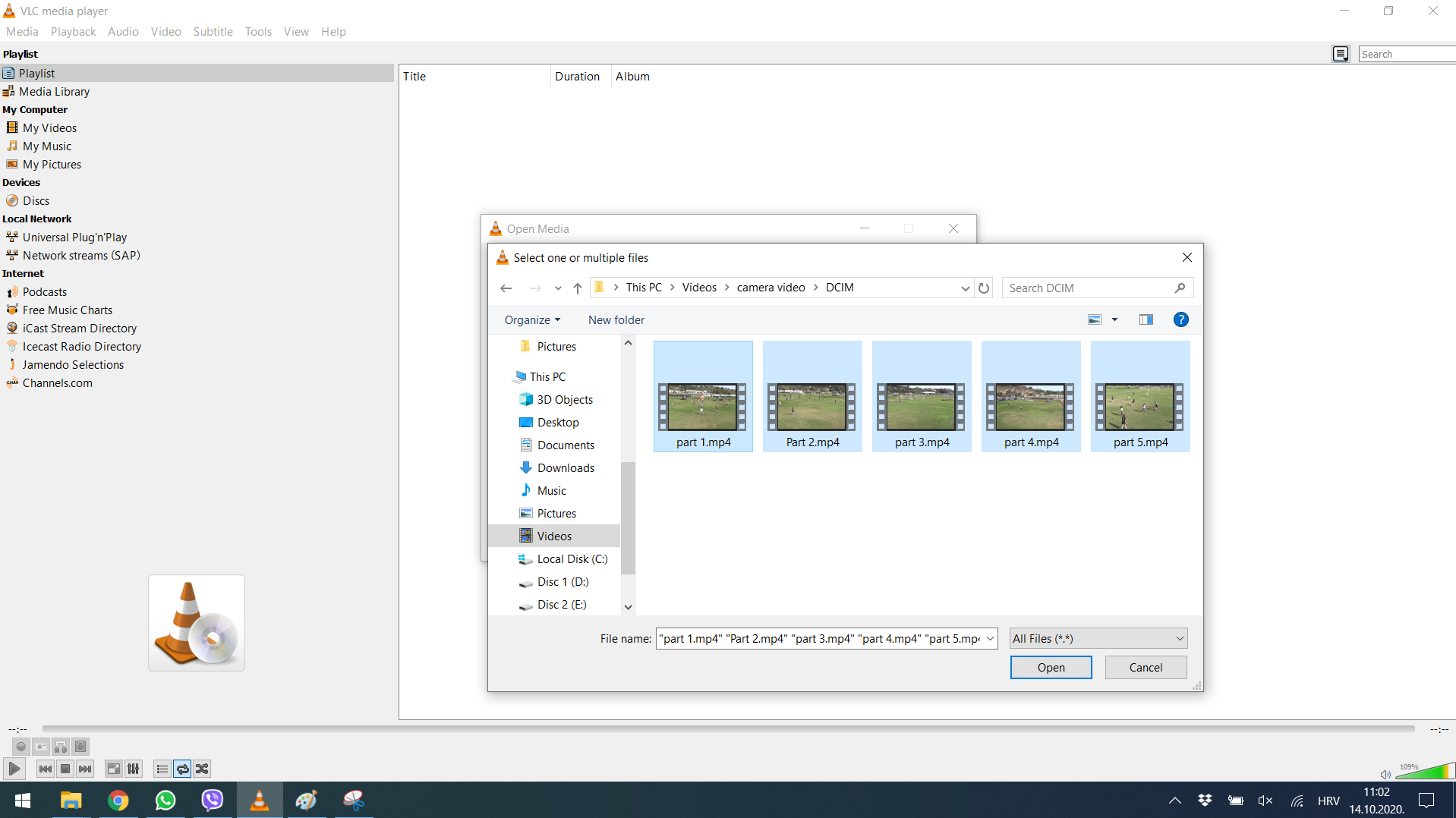
2. Click on the Addbutton under the Filetab, and add the files according to the sequence you want them to play after merging.
3. Go to the Playbutton and click on the Convertfrom the drop-down menu.
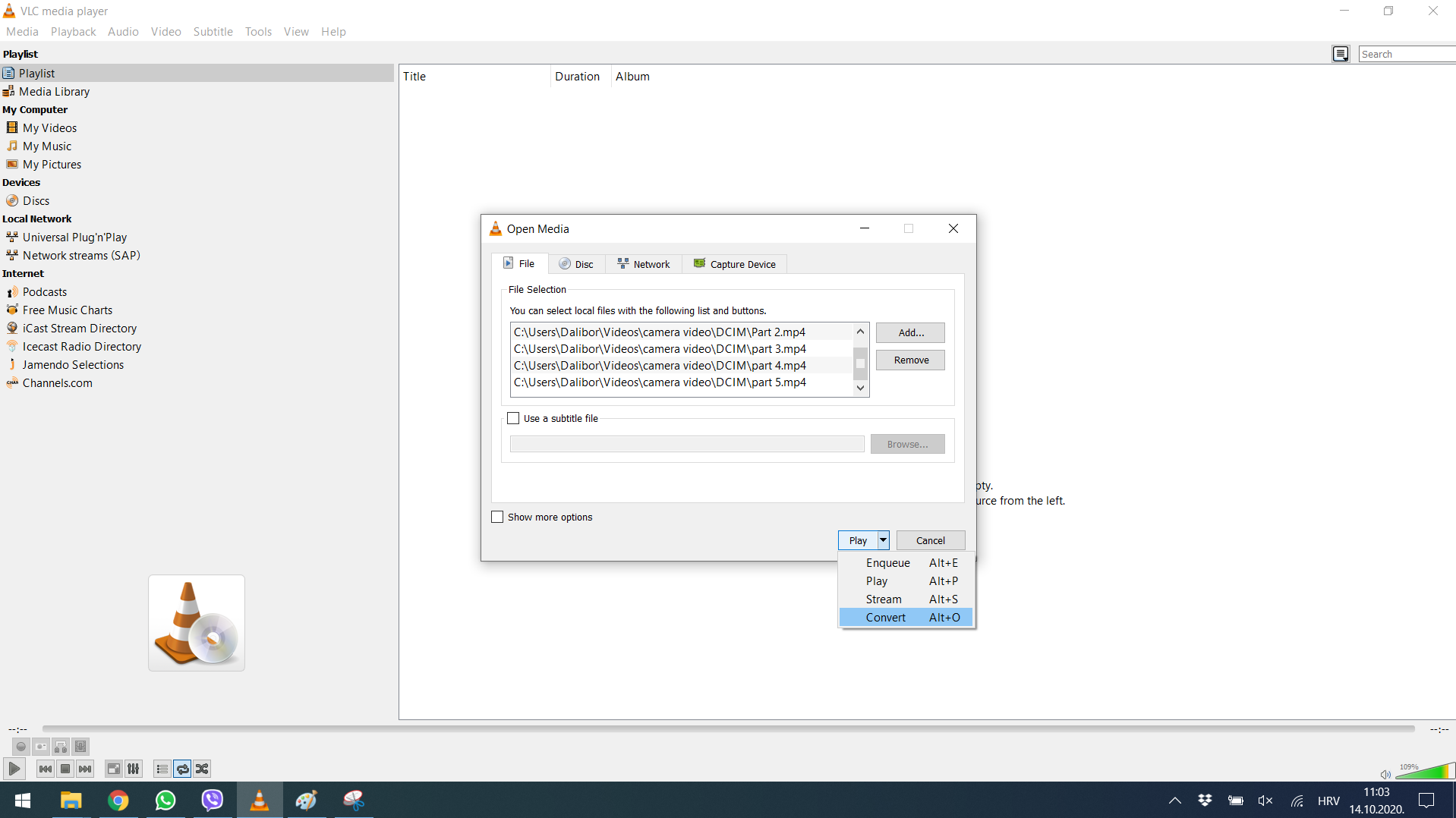
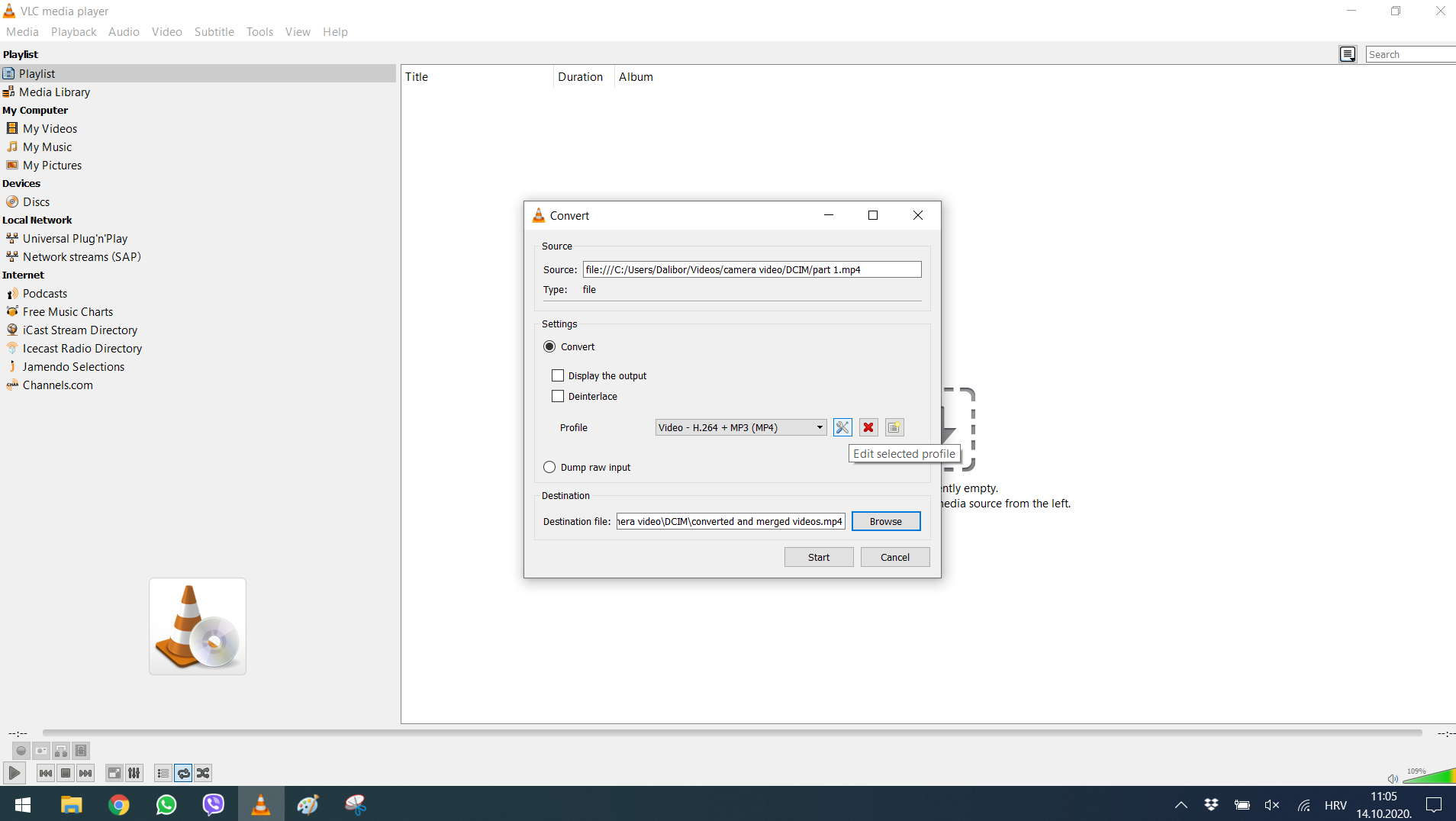
4. You will now need to set the location for saving files, and you can keep the merged file anywhere you want on your computer.
5. If you want to change the resolution or convert to another format, click on settings. In the video codecstab change resolution and in the encapsulationtab change video codec (we recommend 1280×720px, mp4 codec).
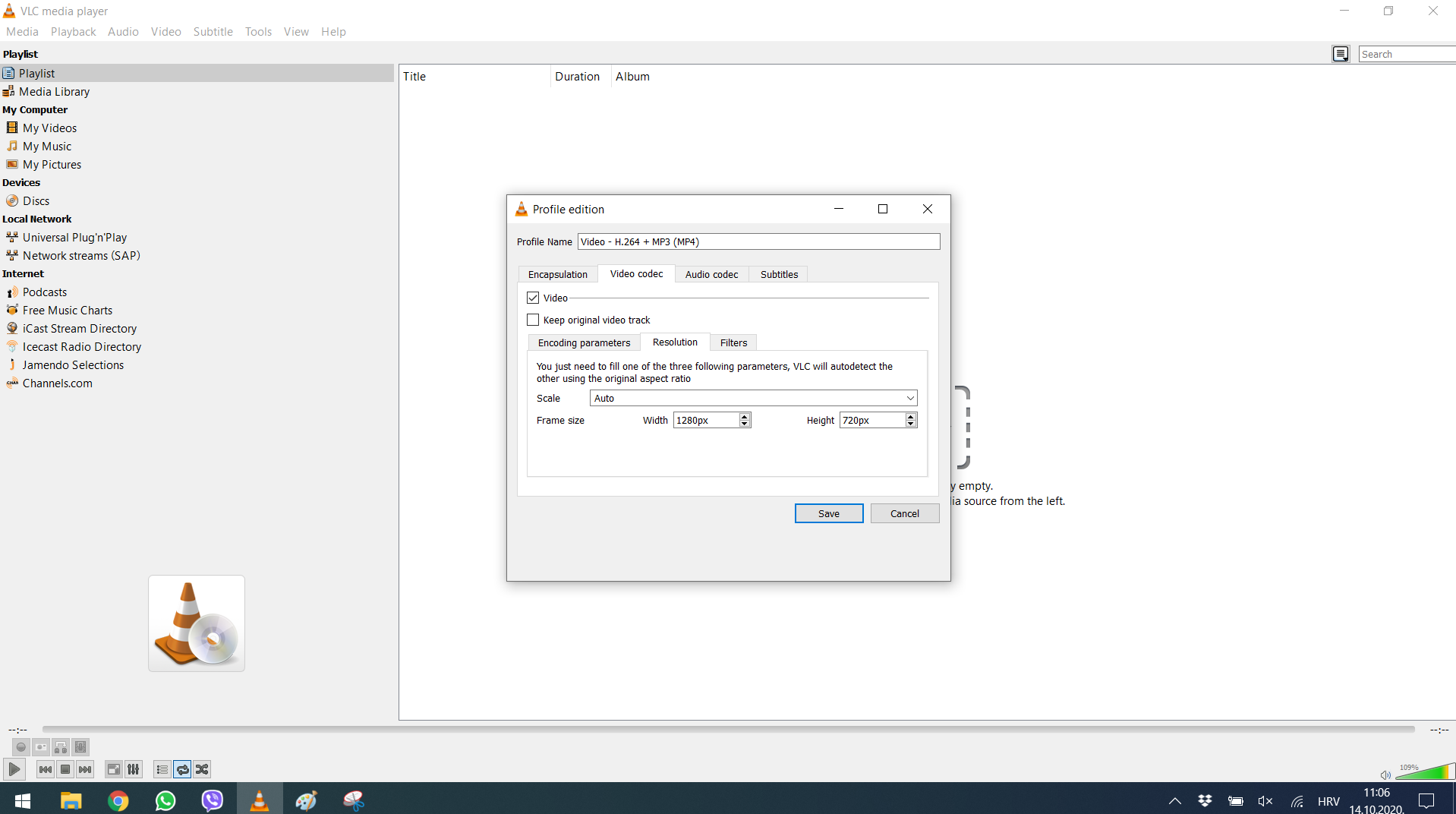
6. Click Startuntil merging is finished.
If you are reading this and you haven’t tried video analysis yet, or you aren’t satisfied with the results, visit once. sport. Download a free trial of Once Video Analyzer PRO! Once is a simple-to-use tool for professional video analysis with TV like graphics. You can get a video tutorial free-of-charge as well. Simply contact us at info@once. sport to schedule a call so we can show you all of the program features and answer any questions you may have.
