Once Sport Cloud Sharing, Upgraded Text Editor, Powerful Notes & More in Latest Update
May 13, 2025
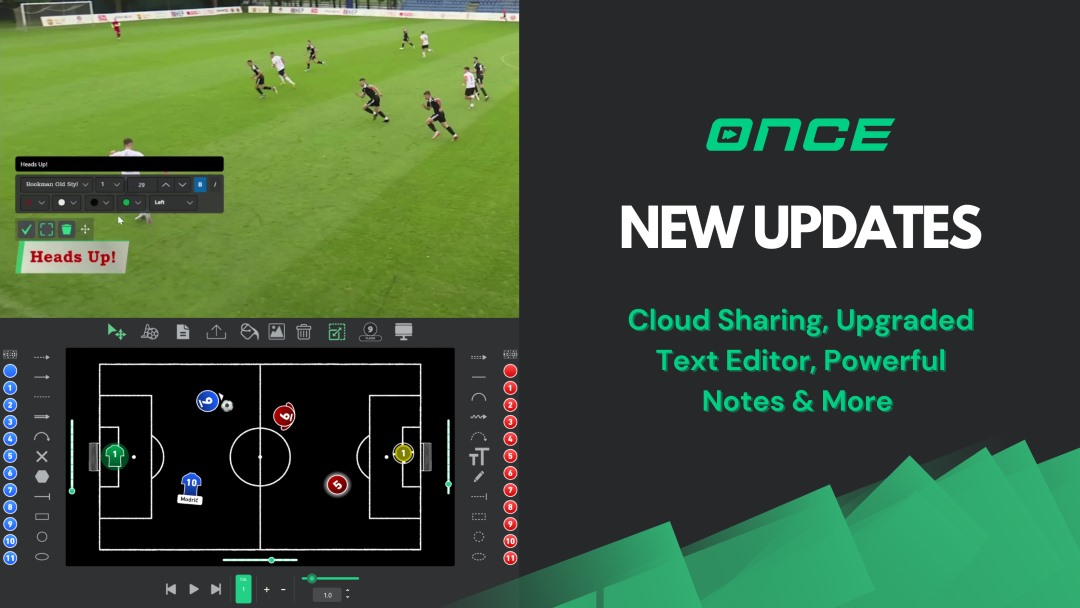
Hello everyone, and welcome to the blog for the latest Once Sport update !
We’re thrilled to release a new version of Once Sport packed with exciting new features and useful improvements designed to make your analysis workflow smoother and more flexible. Headlining this release is the brand new Once Sport Cloud Sharing option, alongside several other key updates we’re eager to show you. Let’s dive in and see what’s new!
Introducing Once Sport Cloud Sharing
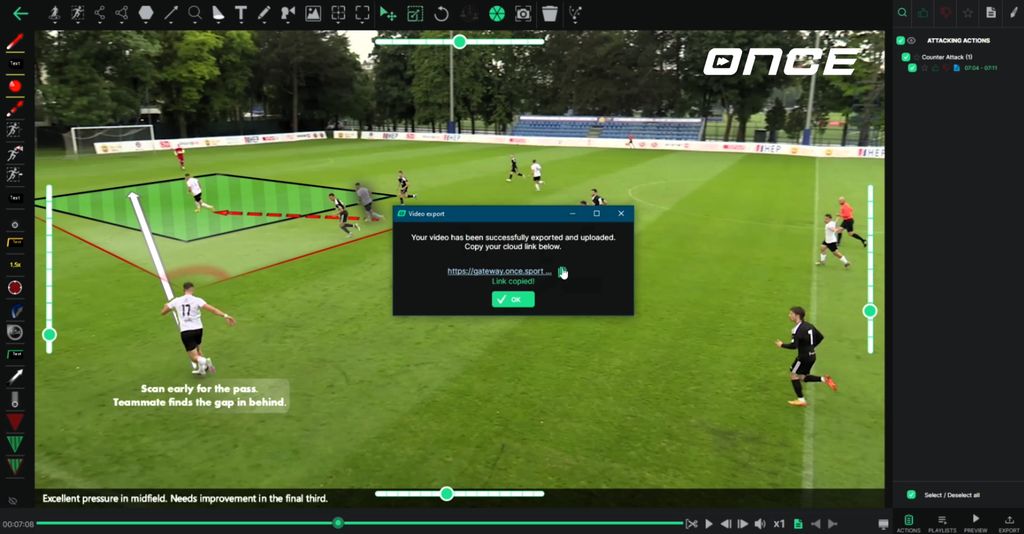
Sharing your analysis videos just got a whole lot easier. We’ve introduced a brand-new cloud sharing option directly within the export menu. Now, when you export your analysis as a single video file, you can select the ‘ Cloud ‘ option and instantly receive a shareable link. This is absolutely brilliant for quickly getting your analysis out to your team or colleagues without having to worry about large file sizes or uploading to third-party services manually.
Please note the initial limits:
- 512MB per file
- Max 10 files storage (stored within the analyser settings)
This feature is currently in beta phase and will be continuously refined based on your feedback. We’re already planning to significantly expand this cloud hub in the near future.
Greater Flexibility with the Upgraded Text Editor
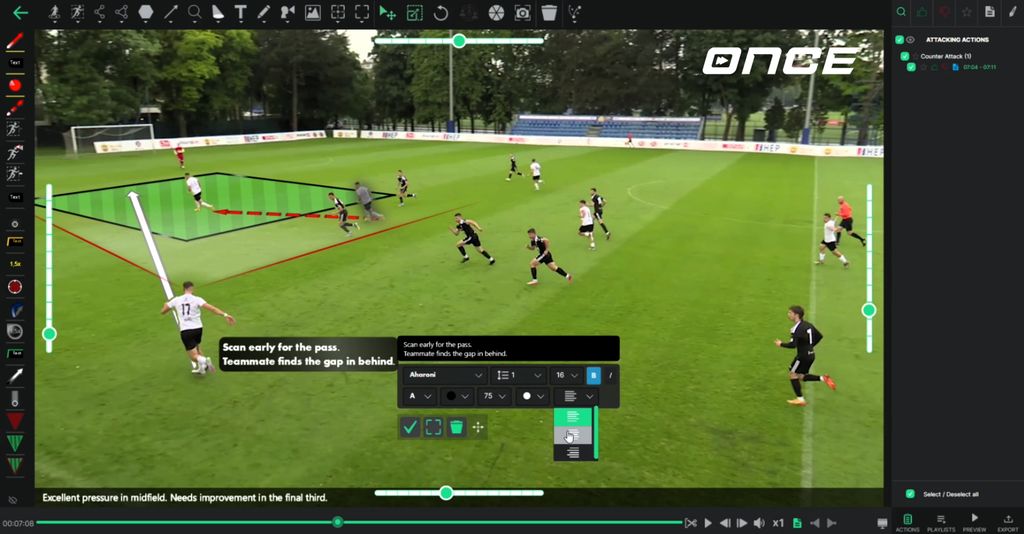
The text tool , a staple for adding clarity to your analysis, has received a major upgrade . You now have significantly more control over how your text appears on screen.
It’s now possible to align text to the left, centre, or right, and easily apply bold or italic styles. Beyond basic formatting, you can now choose from all the fonts installed on your PC, adjust the vertical spacing, and even change both the text and textbox colours after you’ve placed them on the screen. The text editing process also allows for easier preview and placement while you are typing.
These changes offer considerably greater flexibility and control over the visual presentation of your analysis.
Powerful Note-Taking with Redesigned Features
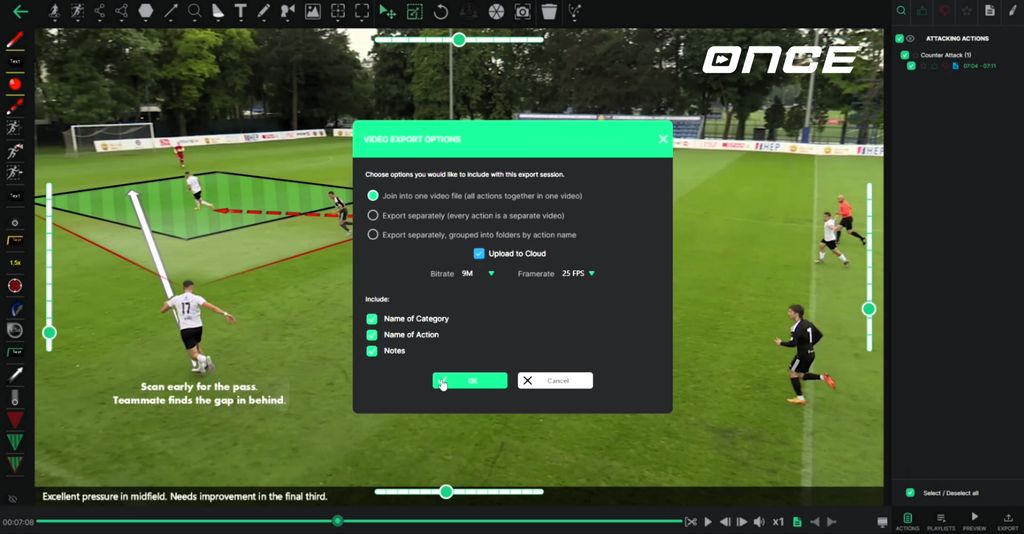
We’ve redesigned the Notes tool from the ground up and introduced a highly requested feature: the option to export notes directly into the final video file.
Each note can now include structured information: a category, an action name, and your written notes. This new structure makes it much simpler to organise and present your analysis insights. Looking ahead, future updates will allow you to assign players and labels to your notes, making this feature even more powerful and versatile for detailed analysis.
Refined Scenario Planning on Once Sport Coach Board
Once Sport Coach Board sees some visual and functional updates to give you more options when planning tactical scenarios.
We’ve added two new player designs and introduced support for full-angle rotation , giving you greater flexibility in positioning players realistically. You’ll also find new black and white football field styles.
We’ve now also added the ability to import images directly onto Once Spoart Coach Board. This lets you bring in specific team logos, player photos, or any other visual assets you need. Once imported, you have full control to easily resize and centre the image, maintain the aspect ratio, and even animate it between frames for dynamic presentations.
The interface is cleaner and more refreshed overall, and we’ve made several changes under the HUB to improve overall performance and usability when working with Once Sport Coach Board.
A Fresh Look for Your Dashboard
Your Once Sport Dashboard has a cleaner, more modern design making it even more user-friendly.
It’s now easier than ever to manage your account, check your subscriptions, and manage your licences in one central place. The updated design also provides quick access to download the latest version of the Analyser, find helpful tutorials, or easily contact our support team—all right from the dashboard.

Keyboard Shortcut Update
By popular demand, we’ve updated the default keyboard shortcuts: pressing the spacebar will now pause the video, while Shift opens the recording window. This change was made to better match user expectations and improve usability. Prefer the old setup? No problem. You can easily swap these shortcuts back to your preference in the System Settings at any time.
Closing Thoughts
This update brings significant improvements to key areas of Once Sport, from effortless sharing and increased text control to powerful note-taking and improved tactical planning tools.
Thanks for reading and for being a valuable part of the Once Sport community . As always, we’re working hard to bring you the tools you need to make your analysis smarter, faster, and more effective. Don’t forget to share your feedback with us—and we’ll see you in the next update!
Get the Latest Once Sport Update
For existing users:
To install the latest version of the software, simply run your current Once Sport Analyser. You will be prompted on screen to download and install the update. You can also download the latest version directly from your Dashboard and install it manually.
For new users:
Register today and enjoy full access for 14 days – no credit card required. Click HERE or the button below to get started!
Frequently Asked Questions (FAQ)
Here are answers to some common questions about the latest Once Sport update:
