Once Sport Update: Curved Player Movement, Team Management, Interactive Statistics and a More Customisable Coach Board
October 1, 2026
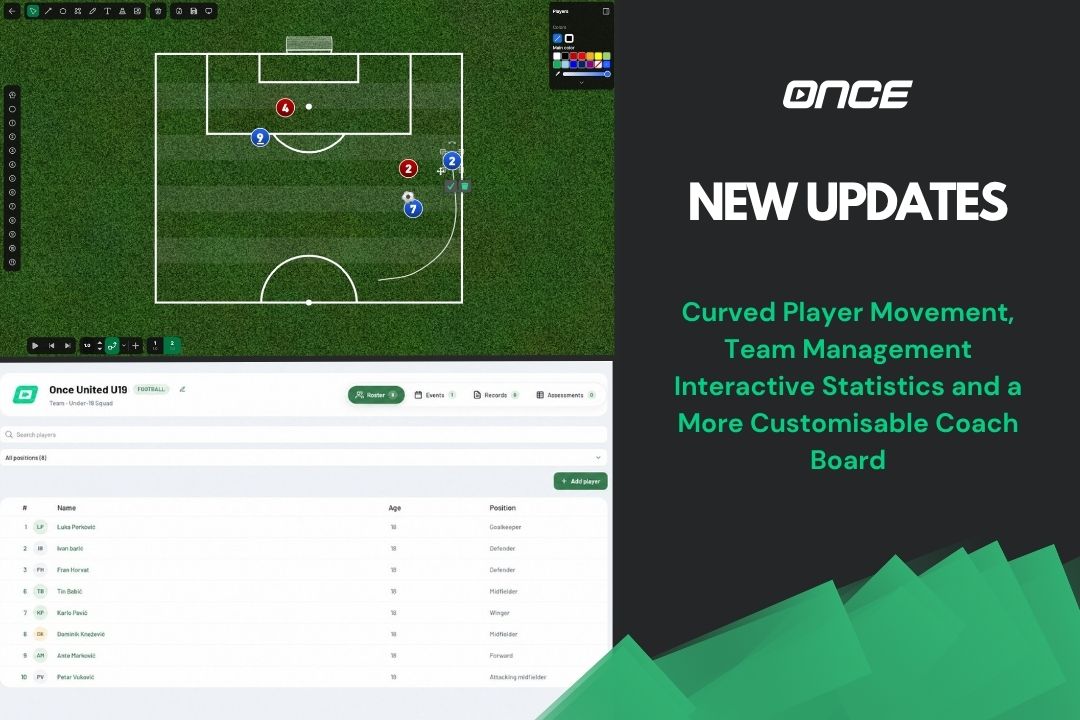
The latest Once Sport update introduces new ways to visualise movement, manage players and teams, and share analysis. This version also brings improvements to Once Sport Coach Board, HTML statistics exports, and everyday analysis workflows.
Let’s see what’s new!
Curved Player Movement in Coach Board
Bring your tactical animations to life with Curved Movement. Instead of moving players and other objects along straight lines, you can now draw curved paths directly with your mouse, making it easier to illustrate more realistic runs and movements.
To use it, select Curved Movement from the bottom bar, move to a later frame, and drag an object along the path you want it to follow. You can choose whether to display all paths, selected paths, or none, and use the right-click menu to switch back to a straight path or reset an object to its starting position.
Teams and Player Management in the Dashboard
The new Teams and Players section in Once Sport Dashboard gives you one place to organise your clubs, teams, and player information. You can create organisations such as clubs, federations, or schools, add teams under them, and manage rosters and individual player profiles.
Player profiles can include contact details, custom fields, records, and attached files. You can also manage calendars for matches, training sessions, appointments, and tournaments, as well as create custom Assessments to track fitness tests or other player information over time.
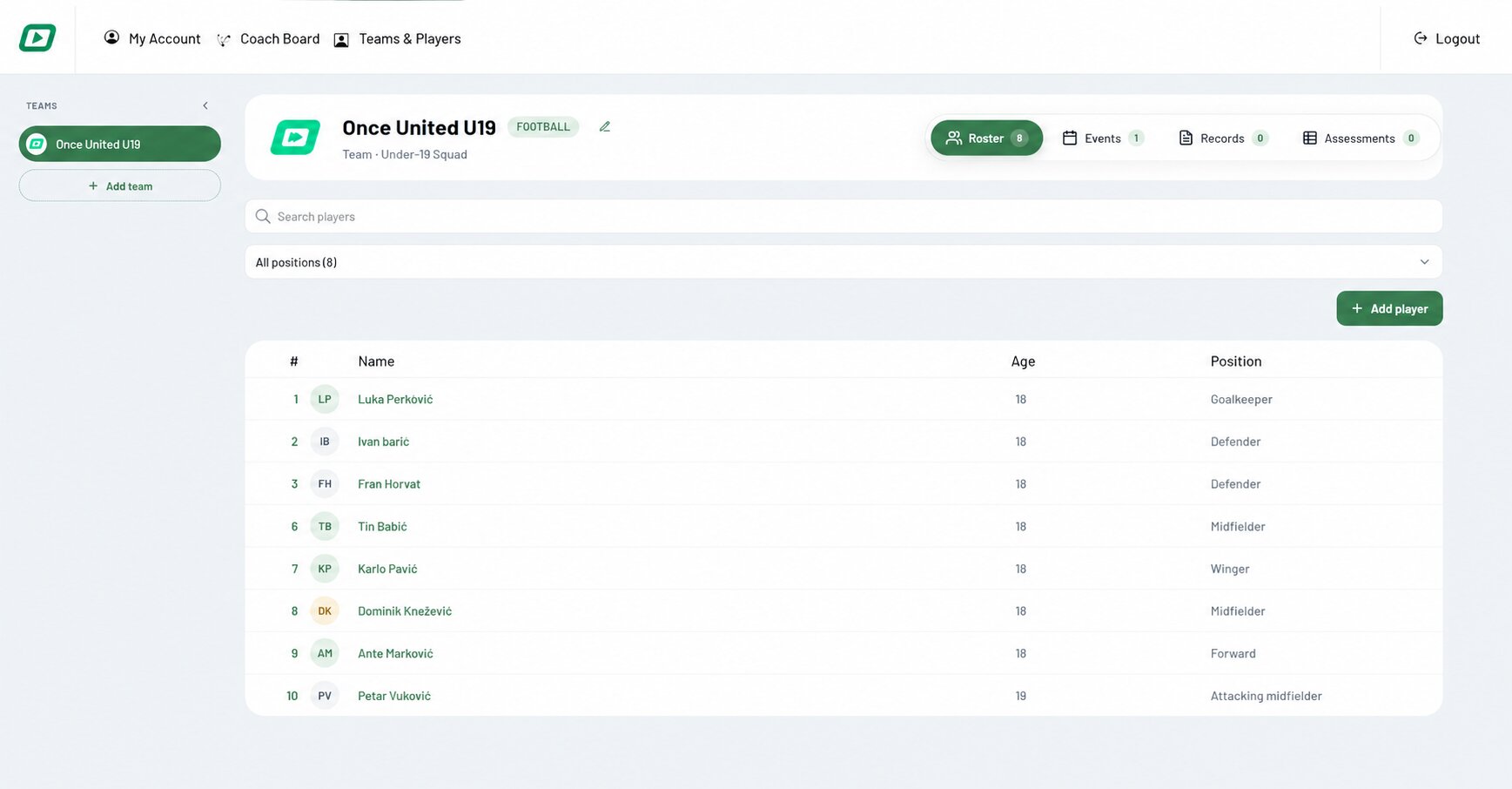
Information is visible only to members of the relevant organisation, helping keep player details and records organised. Teams and Players is currently available in the Dashboard, with support for syncing teams and players with Once Sport Analyser planned for a future update.
Interactive HTML Statistics Export
You can now export your analysis as an interactive HTML report, making it easier to review and share match statistics without needing Once Sport Analyser installed.
The report brings together key analysis data, including the match summary, timeline, players, labels, playlists, and counters. You can search, filter, and explore the data in your browser, while the original analysis remains intact. The report is saved as a single HTML file that opens in a modern browser without an internet connection. As it contains your full analysis, remember to share it only with people who should have access.
To export, choose Export Stats (HTML) from a project’s Export menu, or use Export Statistics → HTML from the Draw view in Telestrator.
More Customisation in Coach Board
Coach Board now gives you more control over the appearance of your fields. You can show or hide field lines, choose from different background colours and grass styles, or use a custom background image. Background images are also included in PNG, JPEG, PDF, and video exports.
This update also includes several smaller improvements to make working with Coach Board smoother, including more reliable symbol movement and immediate application of colour changes.
Easier Online Video Links
Setting up online video links is now simpler on both Windows and macOS. Required components can be installed directly in your user folder, without administrator permissions, a password, or a restart.
Go to Settings → Online video links setup, select Automatic Installation, and click Install. If a required component is missing, the installer will also open automatically after an unsuccessful attempt to load a link.
Please note that some videos may still be unavailable due to login requirements, regional restrictions, or other protections. In these cases, use a playable local video file.
Other Improvements
This update also brings a number of smaller workflow improvements. Telestrator projects now support playlists, including older projects, and custom tag order in Actions and Players is carried through to the Tag and Edit views. Analysis projects opened on another computer also make better use of the selected video source.
Export options have been grouped under a single menu, and several Draw view controls have been moved or renamed for clarity. We’ve also improved action template duplication and made clip exports from live recordings more reliable, including when frame rate information is missing.
Get the Latest Update
This update brings new features and improvements to help you organise your teams, visualise movement, review statistics, and streamline your analysis workflow.
Update today to explore curved player movement in Coach Board, the new Teams and Players section in Once Sport Dashboard, interactive HTML statistics exports, and a range of other improvements across the platform.
- Existing users – Open Once Sport Analyser and follow the on-screen message to download and install the new version (4.9.6). You can also download the latest installer from your Dashboard.
- New users – Register for a 14-day free trial, with no credit card required. Use the button below to get started.
As always, thank you for being part of the Once Sport community. Your feedback helps shape every release, and we look forward to bringing you more improvements in the future.
See you in the next update!
