Once Sport Update: Dynamic Field Mapping, Smarter Tagging and Much More
December 18, 2025
Welcome to the newest Once Sport update ! This is a big one!
This release brings major upgrades across Once Sport products, all designed to make your analysis look better, more detailed, and more connected than ever.
We’ve also focused on the essentials: clarity of your analysis, speed, and flexibility, so you can work faster without losing precision. Take a look at what’s new.
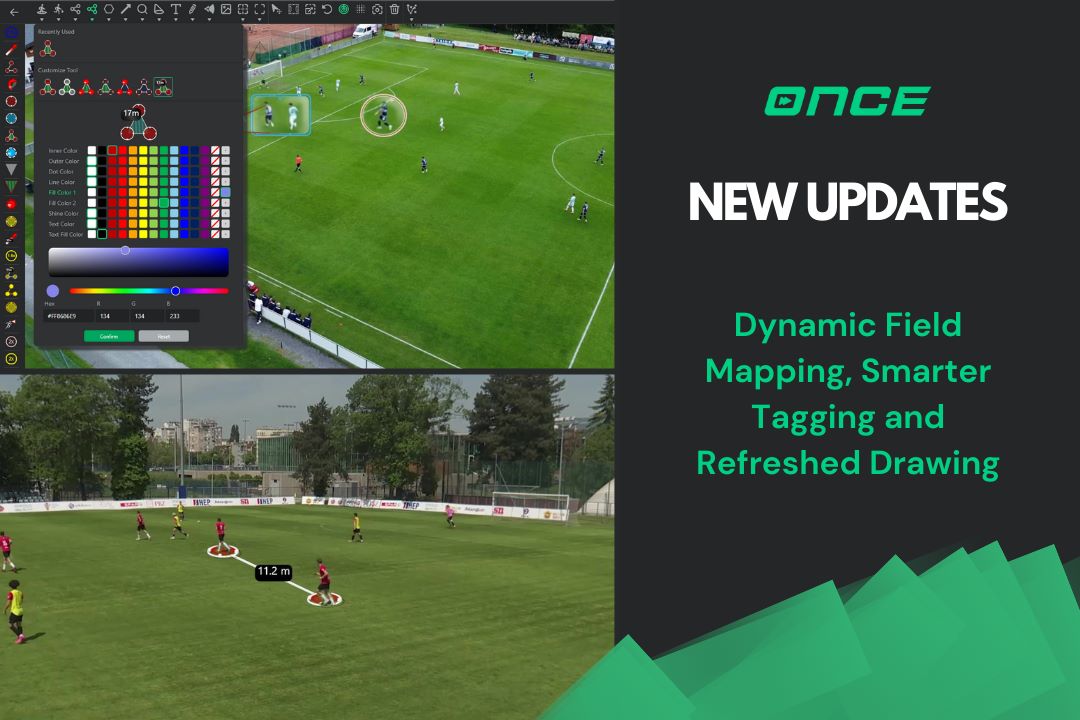
Measure distances in movement with Dynamic Field Mapping
Field Mapping becomes far more powerful with the introduction of dynamic tracking . Instead of measuring distances only in a single frame, you can now track players as the action unfolds and instantly see how spacing and structure adjust.
Wondering how to do it? Easy! Turn on Field Mapping, select players and track them. The software will automatically show you how the distances change as they move
It turns Field Mapping from a static drawing into a living part of your analysis, ideal for studying compactness, transitions, or coordinated movements.
Even better drawing in Once Sport Analyser
We’ve polished several elements inside Once Sport Analyser to make your visual work nicer and easier to follow.
The redesigned Zoom element now lets you choose between a circular and a square style, making details or tactical shapes stand out more clearly.
The Vision element has been improved, too, so you can now add it in just one click.
Tags automatically use the colour of their action type, and you can easily tell which drawing elements are static and which are dynamic. This gives you a clearer overview of your entire match at a glance.
Some of the icons in the Drawing window have been refreshed as well.
And for complete visual control, we’ve added a fully upgraded colour system . Choose any colour using RGB or HEX , and preview changes instantly. This helps you keep your analysis in line with the visual identity of your club.
Smarter Tagging With Labels
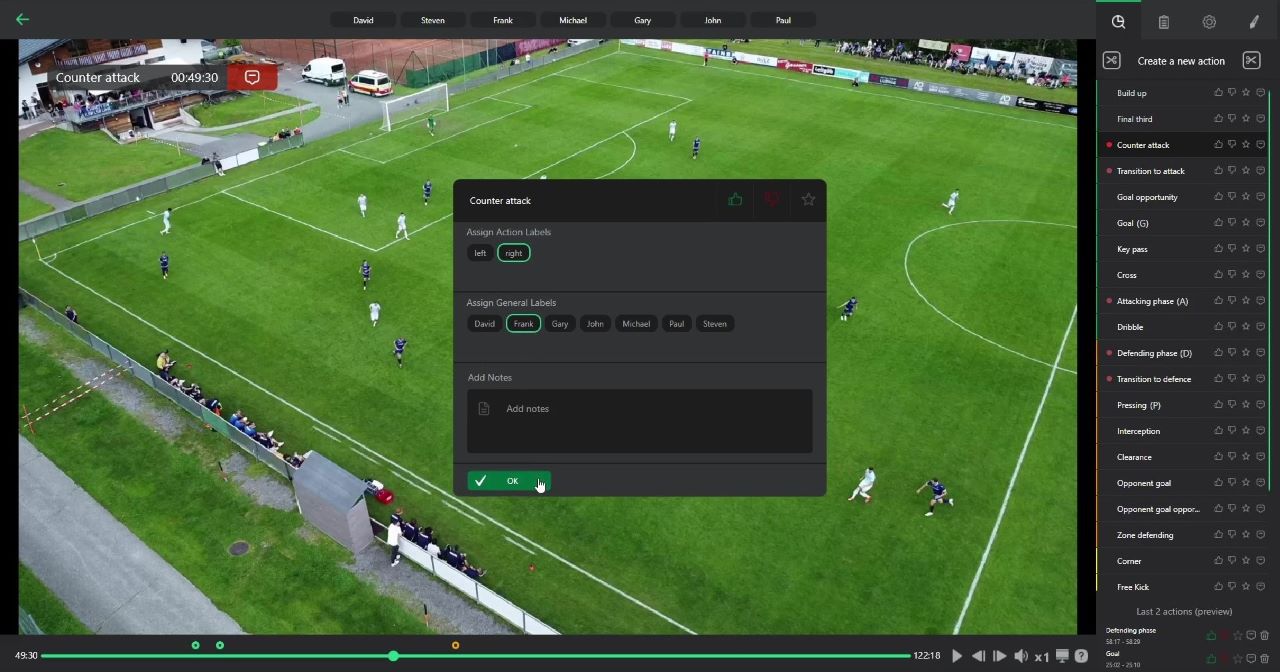
Tagging becomes more organised with the addition of Labels , a new layer that lets you add secondary details directly into an action.
Use it to mark outcomes, add small notes, or apply internal terminology, all without disrupting your workflow. For example, you can tag a shot and then add a label to distinguish between shots that were on or off target.
The new Actions History panel shows your two latest actions to help you with quick corrections.
CSV Import: From Notes to Analysis Instantly
If you receive a list of actions, timestamps, or coaching notes, you can now convert them into a full analysis in seconds.
Simply prepare a CSV file with start time, end time, and action name. Import it into the software. Our new CSV feature takes your file, links it to your video, and automatically generates every action for you.
A simple way to turn a coach’s feedback or external data into structured analysis.
Once Sport Coach Board: Faster Tactical Creation
Once Sport Coach Boardbecomes much more fluid in this update.
You can now select multiple players or objects and move them together , ideal for shifting defensive lines or adjusting full-team shapes.
And one long-requested feature: copy-paste now works across all elements: players, equipment, drawings, and even pasted images. Building exercises or mirroring setups becomes significantly faster.
Flexible Projects With Multi-Location Tabs
Projects now offer the flexibility to connect each tab to a different folder on your computer.
If one of those folders is synced with Google Drive, Dropbox, or One Drive, your projects automatically upload to the cloud. Perfect for teams with multiple coaches working from different computers, or simply as a backup.
More Sports Supported in Field Mapping
You can now work with a range of new sports and specific field dimensions.
Field Mapping now includes templates for basketball (NBA and FIBA courts), American football (NFL, NCAA, High School fields), futsal , and handball .
You can also work using yards or feet, making the tool comfortable for coaches worldwide.
Newly designed Main menu
The main menu receives a refreshed look with cleaner icons, refined animations, smoother behaviour, and improved consistency with the rest of the Once Sport ecosystem .
This will make your navigation through the software feel more modern, balanced, and intuitive.
Full Once Sport Autocam Integration
For the first time,Once Sport Autocam is fully integrated inside Once Sport Analyser .
Open Once Sport Analyser, click on the Autocam tab, and there you can open Once Sport Autocam. It will open in another window, and you can start using it right away.
Your entire workflow, recording, tagging, telestrating, coaching, and presenting – now lives in one connected place .
Final Thoughts
This update brings all Once Sport products closer together while giving you more control, smoother tools, and faster workflows.
Whether you’re analysing a match, preparing training, or recording your team, the entire system now works more naturally and efficiently with you.
Get the Latest Update
Thank you for reading and for being part of the Once Sport community. Try the new features and send us your feedback – we’re already working on the next round of improvements. See you in the next update!
- Existing users – Open Once Sport Analyser and follow the on‑screen message to download and install the new version (4.4.3). You can also grab the newest installer from your Dashboard. If you’re having issues with the Drawing screen, try uninstalling the app from your device and then downloading it again. If the problem continues, please contact us at info@once. sport and we’ll help you out!
- New users – Register for a 14‑day free trial – no credit card required. Use the button below to get started .
That’s it for this release, another step toward making Once Sport the most intuitive and powerful analysis tool in the world of sports.
Thanks for your support! Stay tuned, because the next update is already on the way.
See you for the next update!
