Once Sport Update: A Redesigned Coach Board, New Multitrack Review and Even Smarter Video Analysis
August 18, 2026
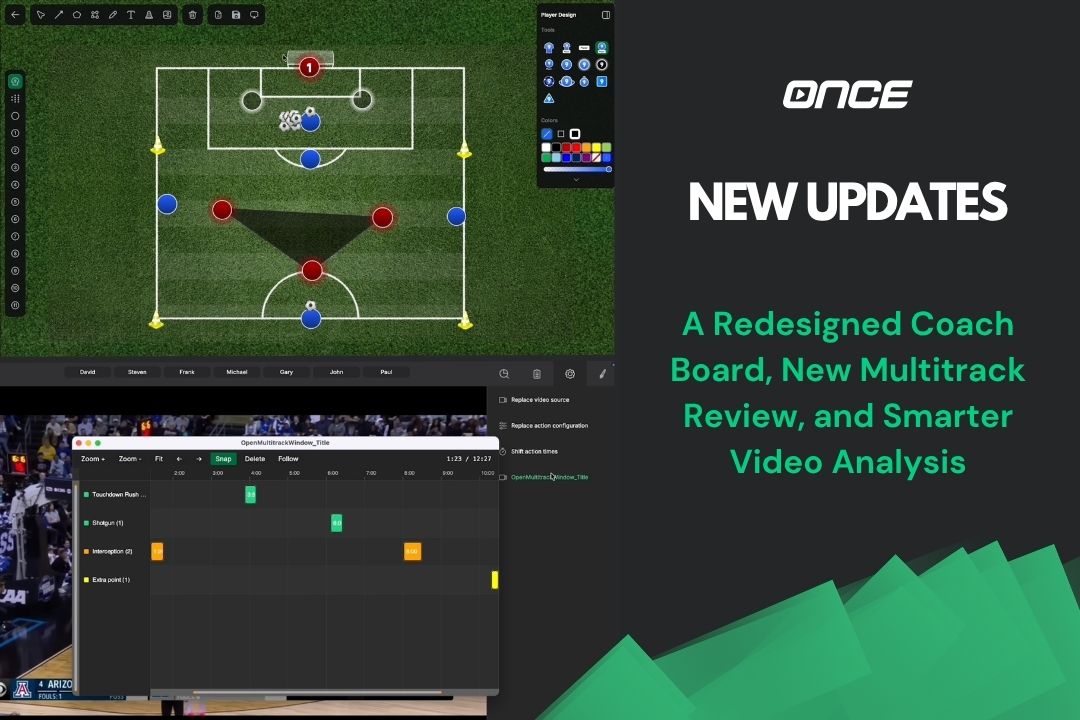
Every Once Sport update is designed around one goal: helping coaches and analysts spend less time navigating software and more time analysing performance.
This latest release is one of our biggest yet.
It introduces a completely redesigned Once Sport Coach Board, a brand-new Multitrack review window, expanded automatic field mapping for basketball and American football, a redesigned tagging workflow, and dozens of improvements that make everyday analysis faster and more enjoyable.
Let's take a closer look.
A Completely Redesigned Once Sport Coach Board
The biggest change in this release is the complete redesign of Once Sport Coach Board.
We've rebuilt the interface from the ground up to create a cleaner workspace that lets you focus entirely on your tactical ideas. The board now uses the full width of the screen, giving you more room to work, while a new sidebar keeps every tool close without getting in the way. You can expand or collapse it whenever you like, and it even remembers the tools you use most often.
Working with drawings also feels significantly smoother. Selecting, moving and editing elements is now much more natural, making tactical presentations quicker to create.
We've also redesigned the colour picker, making it easier than ever to customise every drawing. You can quickly switch colours, adjust opacity, enter HEX or RGB values, or even sample colours directly from existing elements using the new eyedropper tool.
Another major addition is the ability to import your own custom terrains, including SVG files. Whether you're working with a unique basketball court, football pitch or another custom playing surface, creating tactical boards has become much more flexible.
Images can now be inserted directly from your computer or simply pasted from your clipboard, while smarter element layering means balls, players, text and drawings automatically appear in a logical order without constant rearranging.
We also revisited Presentation Mode, improved Recent Drawings, refined the toolbar and made numerous usability improvements throughout the Coach Board.
Overall, this is our biggest Coach Board redesign yet - and it's only the first step towards what's coming next.
A Faster Way to Review Your Analysis
Reviewing tagged footage has also received a major upgrade.
The new Multitrack review window brings every track together into one organised workspace, allowing you to review complete analyses without constantly switching between different views.
A new timeline slider makes navigation much faster, while smart snapping helps actions align precisely with previous and following events. Overlap indicators clearly show where actions intersect, making complex analyses much easier to understand.
Editing is also more intuitive. You can adjust action durations directly on the timeline, select multiple actions and move them together, while built-in boundary protection ensures grouped edits remain perfectly aligned.
Combined with smoother zooming, better selection behaviour and numerous interface refinements, the Multitrack window creates a much faster workflow, particularly when analysing full matches.
Automatic Field Mapping Keeps Expanding
Automatic field mapping is now available for even more sports.
Basketball analysts can now automatically map all four major court types, including FIBA, NBA, NCAA and NFHS courts. American football has also joined the list, with support for both NFL and College fields, giving analysts the same one-click setup already available in football.
Alongside the new sports, we've continued refining the field mapping experience itself. Terrain drawing is smoother, curved lines are handled more naturally and snapping has been improved, making field setup faster and more accurate than ever before.
A Cleaner Tagging Experience
The Actions & Players screen has also been completely refreshed.
At the centre of the redesign is a brand-new Tagging panel, which simplifies the tagging and editing workflow while reducing unnecessary clutter on screen.
Creating templates, selecting actions and organising tags is now much more intuitive, helping analysts work faster during both live and post-match analysis.
Perhaps even more importantly, this entire screen has been rebuilt internally. While users will immediately notice the cleaner interface, the new architecture also gives us a much stronger foundation for introducing additional tagging features in future updates.
Small Improvements That Make a Big Difference
As always, we've continued improving the smaller details that make everyday work feel smoother.
Live streaming now supports M3U8 output, video exports are faster and more memory-efficient, and CSV imports now support optional labels as well as European semicolon-separated files.
Across the software, drawing performance has been improved, clipboard support has been expanded to allow images and text to be pasted directly into both the Coach Board and Draw view, project loading is faster, symbol rendering is sharper, and countless stability and interface improvements make the overall experience more reliable.
Many of these changes happen behind the scenes, but together they make Once sport noticeably faster and more enjoyable to use every day.
Built for Coaches and Analysts
Every feature in this release was developed around real coaching and analysis workflows.
Whether you're preparing tactical presentations, reviewing tagged footage, analysing basketball or American football, or simply looking for a smoother everyday experience, this update removes friction throughout the entire analysis process.
And we're only getting started.
Get the Latest Update
This is one of the biggest Once Sport updates we've released so far, bringing meaningful improvements to nearly every part of the platform.
Update today and experience the new Coach Board, Multitrack review, expanded automatic field mapping and the many workflow improvements now available throughout Once Sport.
- Existing users – Open Once Sport Analyser and follow the on‑screen message to download and install the new version (4.8.8). You can also grab the newest installer from your Dashboard.
- New users – Register for a 14‑day free trial – no credit card required. Use the button below to get started.
As always, thank you for being part of the Once Sport community. Your feedback continues to shape every release, and we can't wait to show you what's coming next.
See you in the next update!
