Explore all Once Sport Analyser features
Once Sport Analyser products are packed with features that help make your analysis professional, quick and efficient.
Advanced tagging, 3D animated graphics, live analysis options and export features. The ultimate video analysis tool. There are many features included in our Once Sport Analyser programs, and this is the place where you can get to know more about them.
Main features
Easy and Intuitive
The quickest and easiest workflow in the industry.
Professional 3D graphics
Create presentations like the ones you see on the TV.
Unlimited analysis
No hidden costs. No storage limits. Use it offline, share your work online.
Saves you money
Best quality-price ratio! We aim to offer professional analysis to everyone.
Try before you buy
14-day free trial. No credit card required.
Superior Support
We offer 24/7 customer service in 7 different languages.
Try using Once Sport Analyser for free!
Once Sport Analyser is the ultimate video analysis tool with 3D animated graphics and powerful tagging options. Try it for free!
Drawing
Once Sport Analyser allows you to easily explain concepts by using animated and professionally designed 3D graphics. Once Sport Analyser products let you create presentations like the ones you see on the TV.
Elite level automatic tracking features
Automatic player tracking with a variety of drawings thanks to advanced AI keyframing technology. Best of all, it's extremely easy-to-use. You just need one click – Once Sport Analyser does the video tracking for you.
- Track one or more players
- Use one or more telestration elements
- Automatic keyframing
- Export or share videos with tracking elements
Measure distances on the field
Easily measure distance between players, passing lengths, or space covered — all directly on the pitch. Whether analyzing positioning or evaluating passing options, Field Mapping brings precision to your analysis.
- Player positioning and distance analysis
- Passing option evaluation
- Quick and clear visualization
Animated 3D drawing elements
Once Sport Analyser allows you to easily explain concepts by using animated and professionally designed 3D graphics.
Player formation area
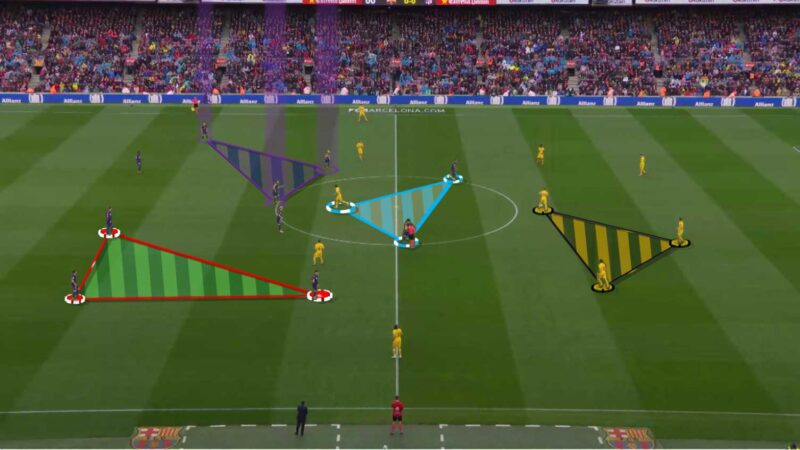
Draw a filled-out area between the players to better visualize positioning.
Player formation line
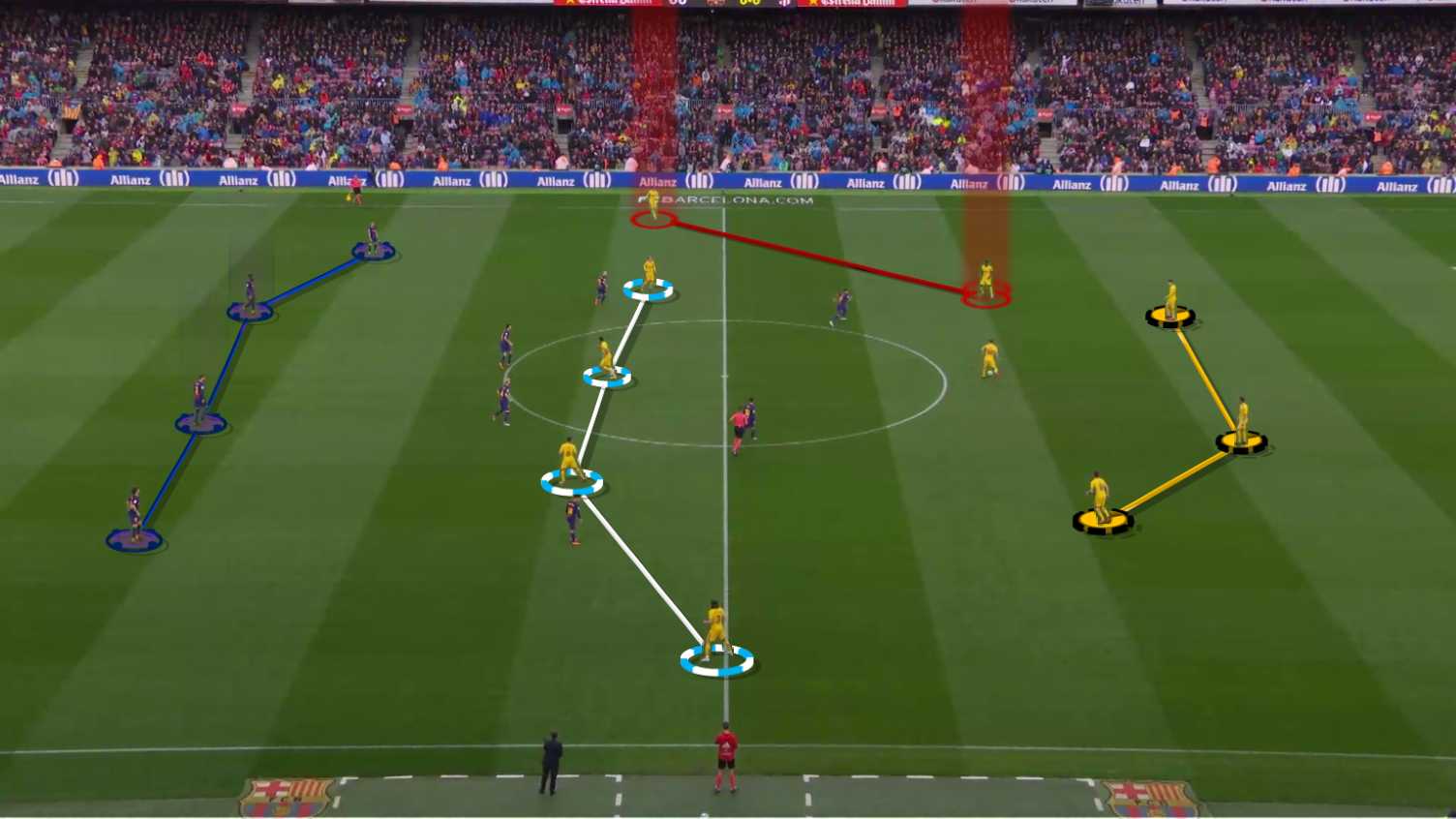
Draw a line to better highlight the way the players are standing on the pitch.
Area
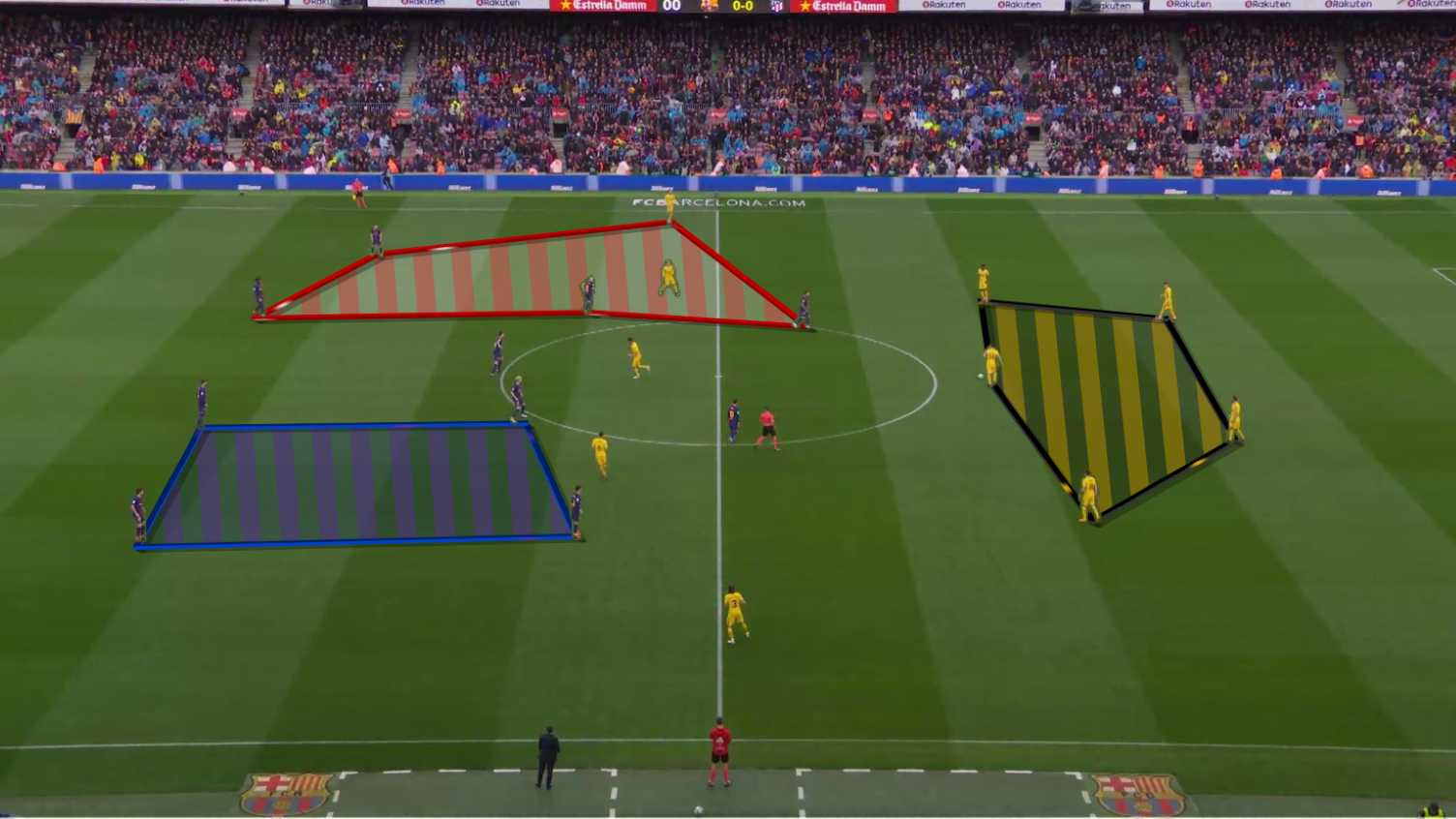
This feature allows you to highlight an area of the pitch, for example, to mark different zones or empty space.
Line / Arrow
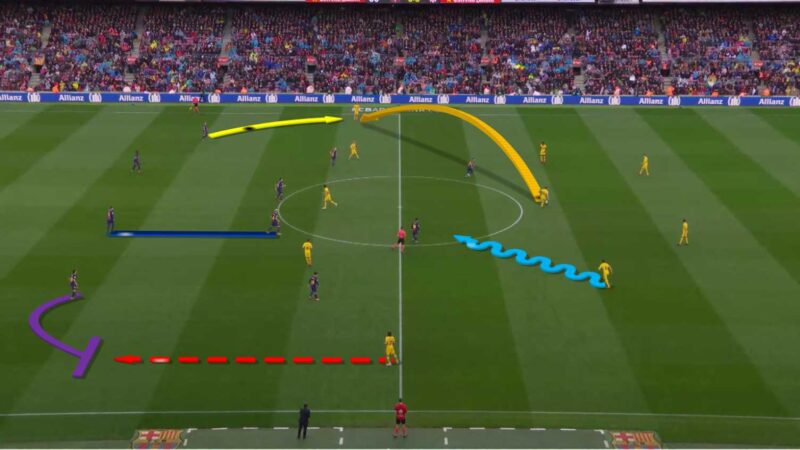
Dashed / normal / curved - Show movements with the normal, dashed or curved element to emphasize situations.
Mark players with X and O
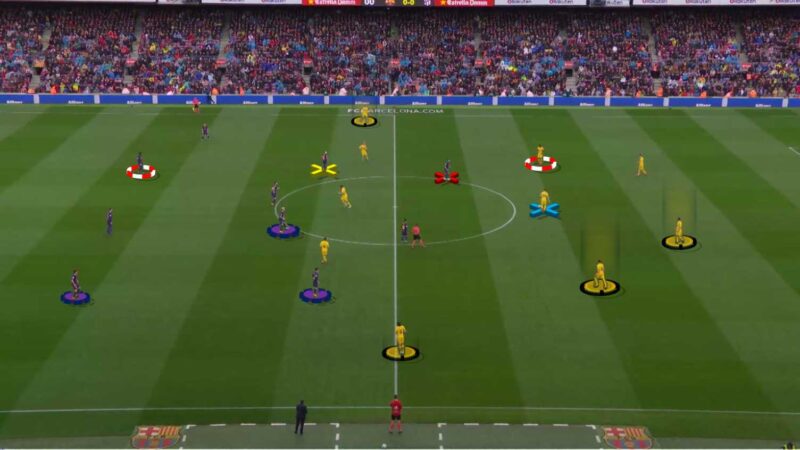
Mark players with both an X or an O to better differentiate between players, teams, roles or situations.
Spotlight
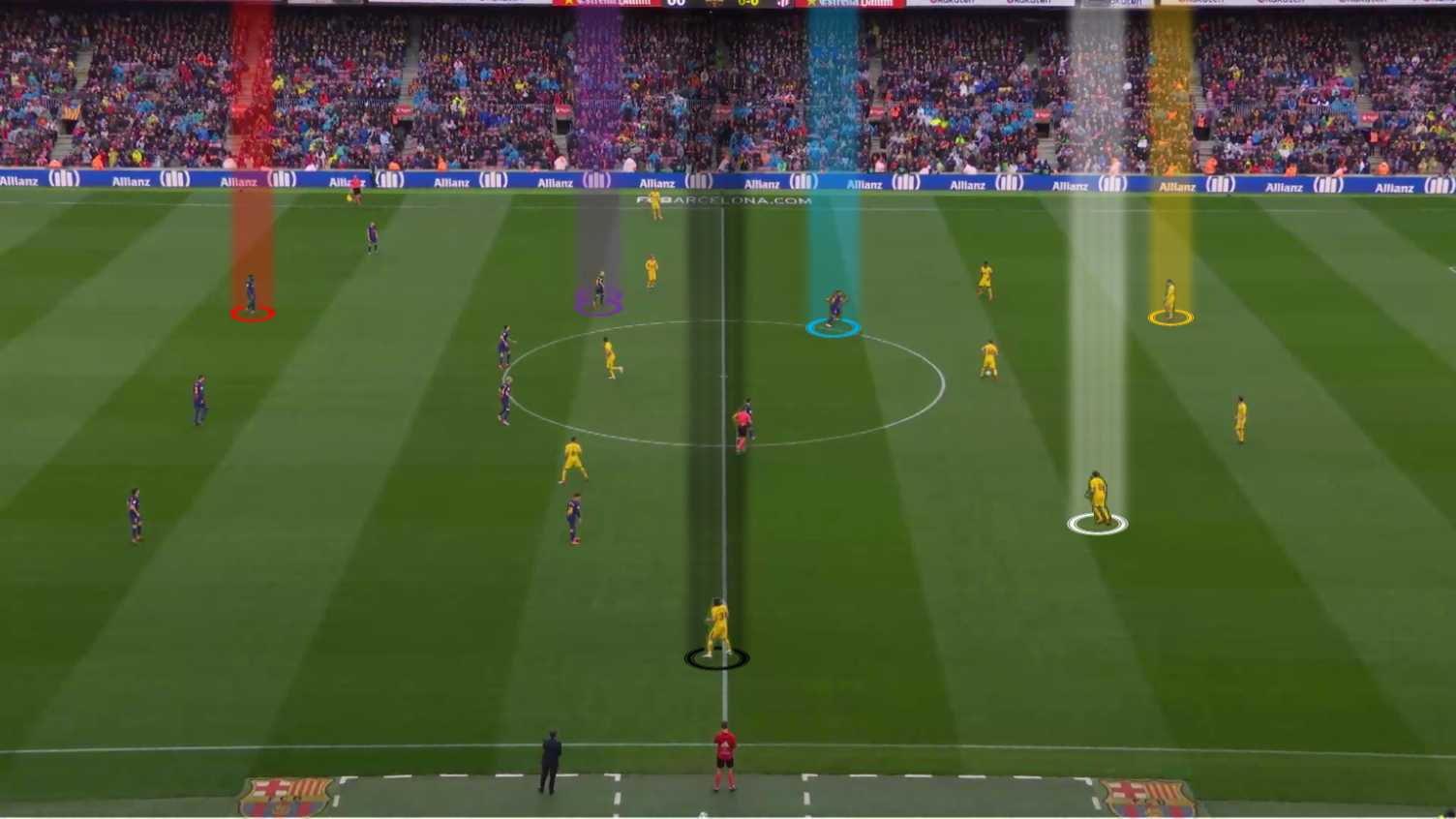
Spotlight a specific player to engage the viewer to a certain figure in the video.
Text
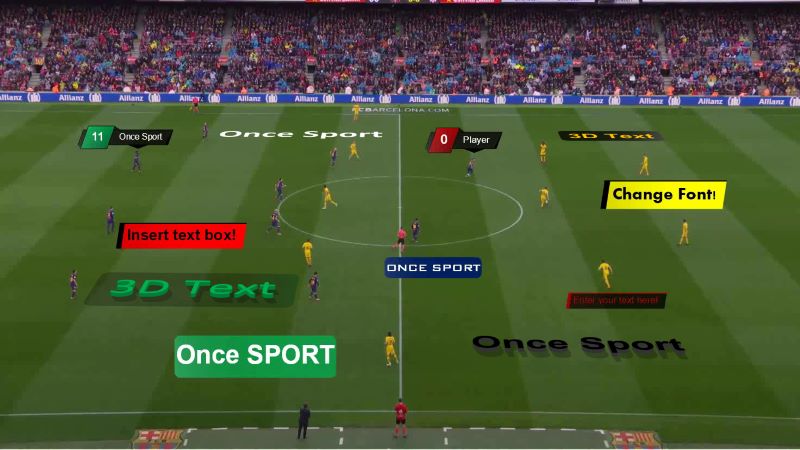
You can add text wherever you want to help you and your team better understand the analysis.
Zoom
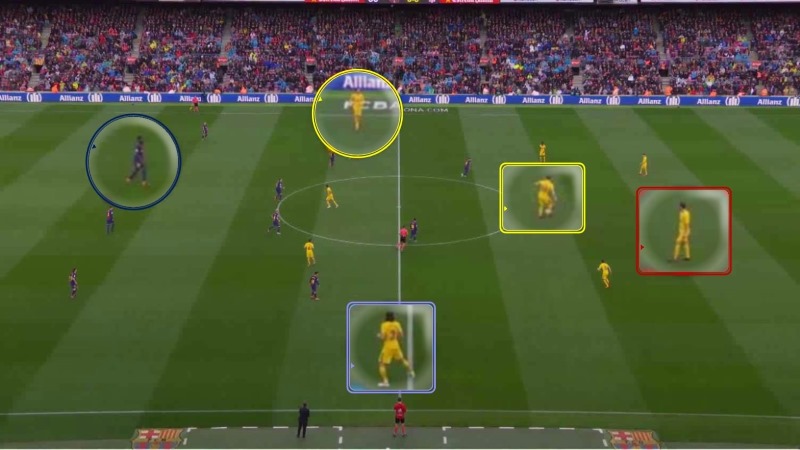
Zoom one or multiple elements in your frames - a player, a situation on the pitch...
Move a player
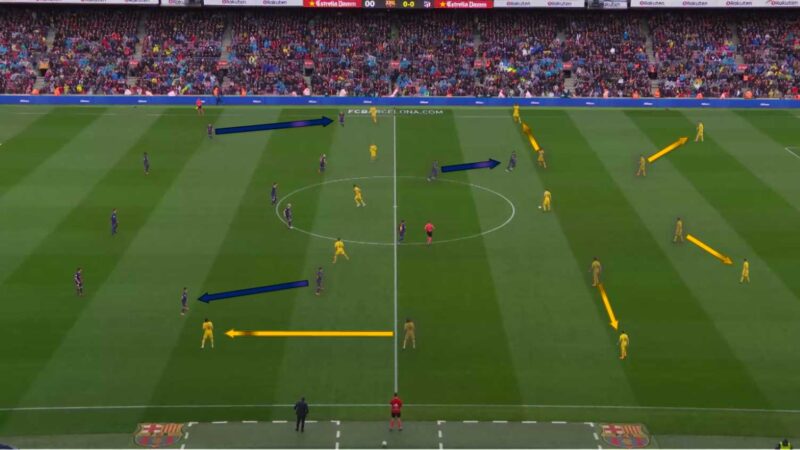
Virtually move the players to different positions.
Vision
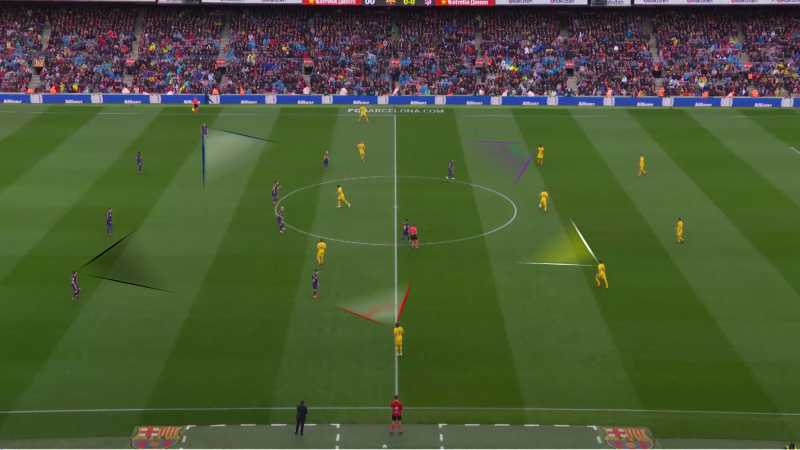
Mark the area and the direction in which players are scanning the field.
Overlay Text
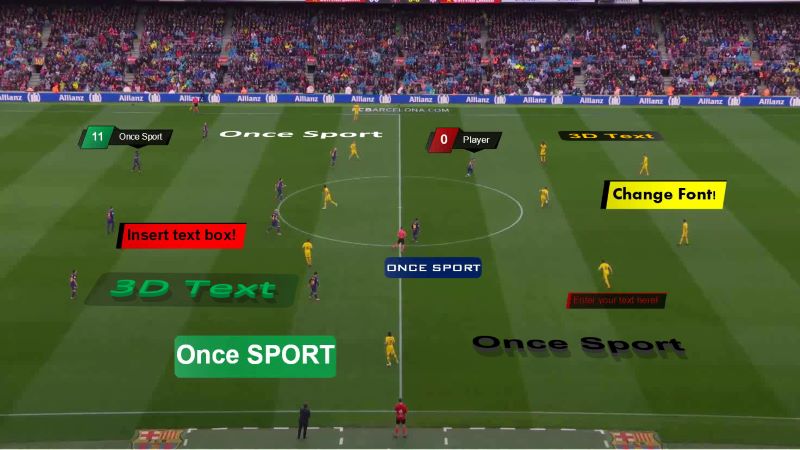
Lets you add dynamic text overlays that appear continuously without pausing the video.
Free form
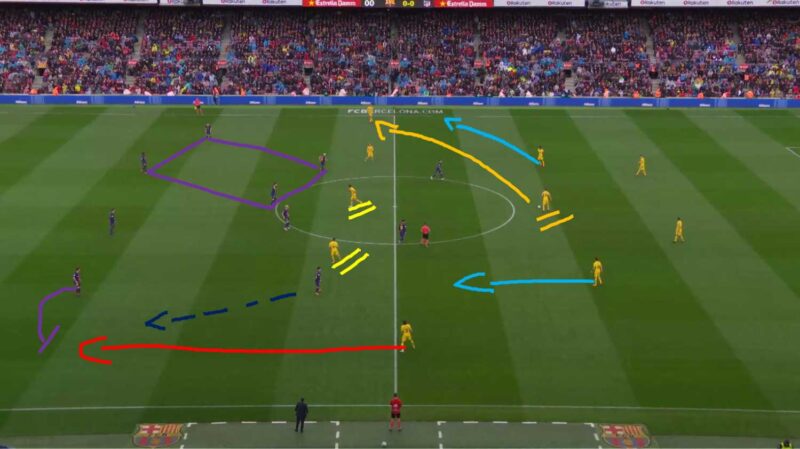
This feature allows you to draw freely, so you can draw any shape you need.
Chromakey
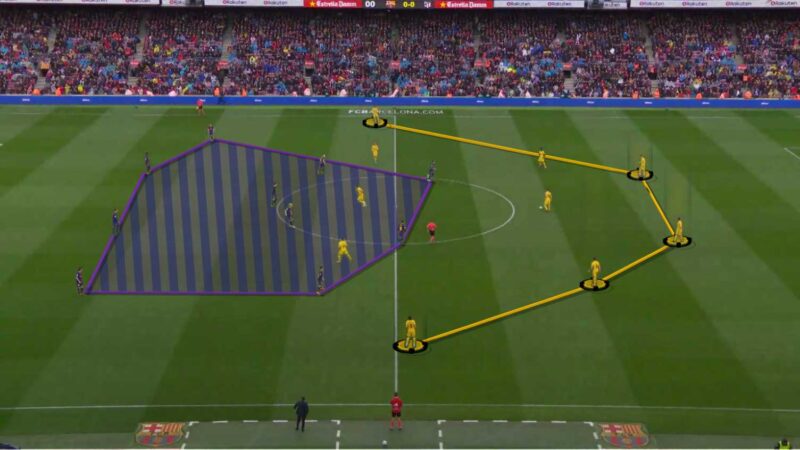
Applying a visual effect that helps graphics look more natural by putting it behind the player.
3D camera settings
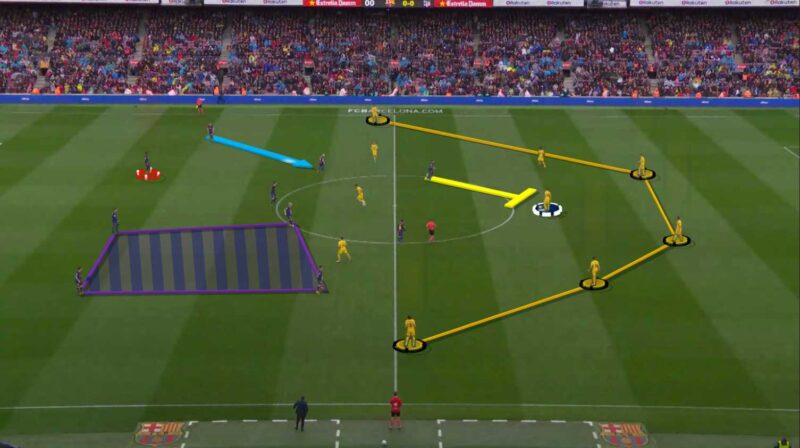
Resize elements and adjust camera angle, height, distance and field of view.
Timer
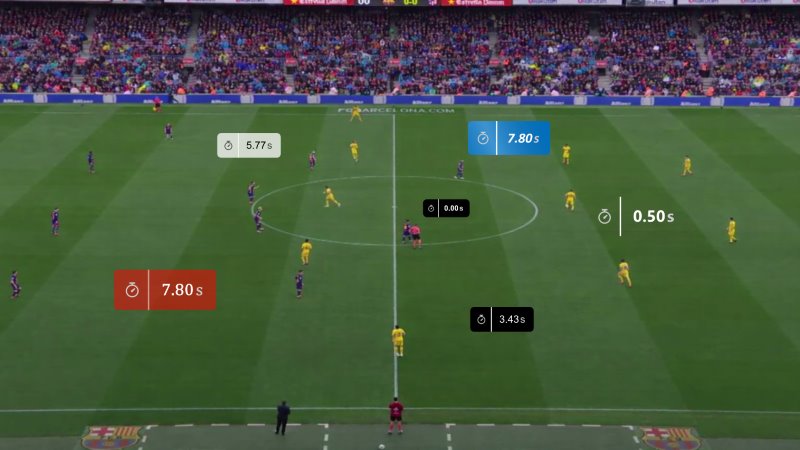
Measure time directly on the video.
Export
Export your analysis or present it directly from the program. Communicate your ideas more effectively. Organize your analysis the way you want it – sort and change order, export with or without drawings, in one or more videos and in one folder or in different folders.
Join in one video
When exporting, you can choose that you want the whole analysis to be exported in just one video.
Without drawings
You can also export your analysis without the drawings, so you can just get the clips of tagged actions.
With drawings
Export your analysis with animated 3D graphics.
Export in one folder
You can also export your whole analysis to one folder.
Export in different folders
If you export the analysis in different folders, your analysis will be exported to different folders based on their names.
Share your analysis with a link
When you export your analysis as a single video file, you can select the ‘Cloud‘ option and instantly receive a shareable link.
Sort & Change order
If exporting the whole analysis as just one video, you can sort the clips and change their order to get the video organized the way you need it.
Tagging and analysis
Once makes tagging actions and players easy and intuitive. This makes the analysis faster, saving you time. Read more about the features that make your analysis professional, quick and intuitive.
Regular code buttons
You can use the regular code buttons to record and tag specific moments. When you click on a regular code button, it automatically records and tags the 1-20 (depending on your custom setting) seconds of the video before and after you clicked on it.
Recording mode code buttons
You can use the recording mode code buttons to record and tag specific moments. When you click on a recording mode code button, it automatically starts recording and tags the match event. You end the recording with just another click whenever you want.
Recording mode
Start recording easily by just clicking the Space key on your keyboard. End recording with clicking Enter. Using the recording mode, you can easily add players, tag events as good, bad of favourite, or add notes to match events.
Action Labels
Add secondary tags to your actions. Create specific Action Labels in the Actions & Players tab, then, when tagging, click the message cloud icon to open a pop-up. From there, you can choose from the labels you've already created and add more details to your analysis.
Hotkeys
This feature enables you to pick which key on your keyboard tags which match event. To record and tag, just hit the key representing the match event you want to tag. Hotkeys are simply a shortcut that makes tagging match events quicker and easier.
Multiple matches analysis
This feature allows you to open multiple match analysis along with all of the tagged match events, players and notes. This is very helpful for easier noticing of patterns and raises the overall quality of the analysis.
Add / edit note
You can use this feature to add yourself a reminder for the drawing part of your analysis. This helps you remember the details you noticed while tagging match events and players.
Edit duration
This feature allows you to easily edit the duration of the video. If you notice that your tagged match event video clip is too long or too short, you can easily shorten or prolong the duration.
Rename match event
This feature enables you to give a new name to your tagged match event. Use this feature only if you haven't already created a match event with the same name.
Good / Bad / Favorite filters
You can add filters to your match events that help you see how you want to consider them.
Add/replace player
You can also tag players. If you add a player to the "Players" list, so when you use the "Recording mode" you can add a specific player or players to the match event you are tagging. Also, if you accidentally tagged the wrong player, you can easily replace him without needing to redo the whole tagged match event. You can also add or replace players in the "Timeline" screen by right clicking on a match event.
Replace match event
Similar to "Renaming match event". If you have already created a match event carrying the desired name you can replace it here.
Easily Create Tactics and Trainings with Coach Board
All in-one-solution for training sessions and tactical analysis – Once Sport Coach Board
- User-Friendly Interface
- Create and Animate drills and tactical strategies
- No Internet, No Problem – fully functional offline
- Quick Export and Share with just a few clicks
Live analysis
Analyze in real-time and gain a competitive advantage by making informed decisions during a match. You can tag actions live, rewind the footage to review and tag missed events, and draw on tagged clips.
Once Sport Analyser automatically records the entire match and saves the recordings. Supports m3u8 stream, rtsp stream, or capture cards.
Convert or merge videos
You can also use Once Sport Analyser to convert or merge (join) your video files. This means that you can change the video format, resolution, or framerate.
Just select your video files and import them. If you use several files, they will be automatically merged. Then, choose your settings and hit the "Export" button.
Choose Your Plan
Ready to transform your analysis?
Join thousands of coaches and analysts who trust Once Sport for their video analysis needs.
